

Stays on top of your work
A compact, draggable overlay you can collapse or hide. Keep the conversation going without leaving the app you are in.
Download the desktop app and keep an AI assistant on screen: capture what you see, speak instead of typing, and chat without leaving your work. Same Veontra account and credits as the browser. macOS is on the way.
Version 0.1.0
After install, sign in with your Veontra account. New here? Start free trial
Veontra Copilot is a lightweight AI overlay for your desktop. It stays above your other apps so you can ask questions, attach up to six screenshots or images, or dictate with voice — without opening another browser tab. It is the same Veontra workspace you already use for documents, images, and video, with one credit balance and one login.
Switching to the site for every prompt breaks concentration. The overlay stays in the corner while you write, design, review spreadsheets, or debug. Capture the screen without the chat panel in the shot, drop in PNG, JPEG, WebP, GIF, or BMP files, or speak for up to two minutes. Usage is billed in the same credits as veontra.com.
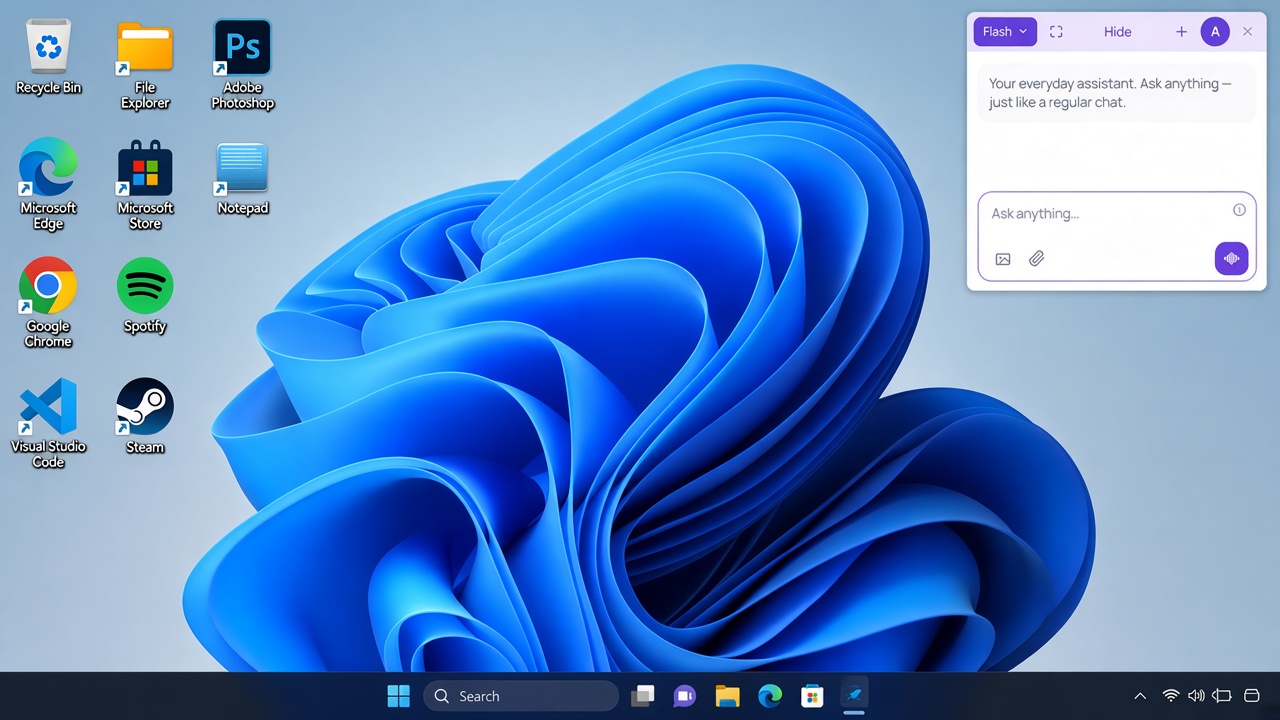
Screen context, voice, and chat in one window — billed on the Veontra account you already have.
A compact, draggable overlay you can collapse or hide. Keep the conversation going without leaving the app you are in.
Capture the window behind Copilot — the overlay is excluded. Attach up to six images per message (PNG, JPEG, WebP, GIF, BMP, 3 MB each).
Tap the waveform, speak for up to two minutes, and the transcript lands in the field so you can edit before you send. Plus 1 credit per recording.
Sign in with the same email as on the website. Credits, language, and billing stay in sync — no second wallet to manage.
Collapse to the header, hide the window, or fill the screen. Bring Copilot back the moment the next question comes up.
How it works
Three steps from this page to a screen-aware AI assistant on your desktop.
Get the setup file from the buttons above. Run it, then open Veontra Copilot on your desktop.
Use the same email as on veontra.com. A free trial is enough to start. Credits you buy in the browser work here too.
Type a question, attach screenshots or files, or use voice. Hide or expand the overlay when you need the full screen.
Extract documents, transcribe audio, and generate images from the same dashboard — with human review before anything is exported.